


Which gaming router is best?
When you’re a gamer, the most important piece of equipment to have is a good wireless router. It doesn’t matter if you exclusively play multiplayer or single-player games, a bad Wi-Fi connection interferes with both. Your performance in multiplayer games will be disastrous, and the download speeds for your next single-player game will be slow enough to take all day and night.
The best gaming router is the TP-Link Archer AX6000 Wi-Fi 6 Gaming Router. It’s expensive but delivers speed and performance that’s difficult to match.
What to know before you buy a gaming router
Speed
There is no more important factor for any type of router than how fast its maximum upload and download speeds are.
- Upload speed determines how quickly you can send data. Upload speed is extremely important for multiplayer game streamers as they need to simultaneously broadcast their personal live feed and a stream of their gameplay, all while remaining smoothly connected to said game. One megabit per second upload speed is barely enough — aim for a router with several hundred Mbps uploads.
- Download speed determines how quickly you can receive data. Faster download speeds enable you to download new games and patches for your current ones quickly. It also enables your online game to remain stable should members of your household start streaming Netflix. Technically, 3 Mbps download speeds are enough, but if you consider the average game is roughly 100 gigabytes, this speed will take more than 9 hours to download your new game. As such, aim for at least 500 Mbps download speeds.
Ping rate
Your ping rate, given in milliseconds, is the delay you experience between sending a signal through your controller or keyboard to the game server and the game server recognizing that input. It’s affected by everything, but chiefly by your router speeds, how many people are connected at once and what those people are doing. Acceptable ping rates are between 50-100 milliseconds with anything 150 milliseconds or more being problematic. Ping rate only matters for multiplayer games.
Design
Gaming routers tend to feature splashy designs that serve as centerpieces for your internet setup. The design has nothing to do with quality — in fact, some of the most eye-catching designs have worse specifications than a nondescript black box. Design can be a good deciding factor if you’re stuck between similar options.
What to look for in a quality gaming router
Diagnostics
Better gaming routers are constantly monitoring your internet usage and can give you that data in a digestible form. This data can help you eke out some extra performance next time you hop into a round of Fortnite.
Directional antennas
Most routers send their signals out in waves. Some gaming routers use directional antennas to beam the signal in a specific direction. This can lead to a greater range and increased performance, but nothing outside the beam will have a connection.
Ethernet ports
Most routers, gaming or no, have Ethernet ports. These allow you to hardwire your console or computer directly to your internet service rather than connecting wirelessly, which provides a faster and more stable connection. Better gaming routers have up to eight ports, but most have two or four.
How much you can expect to spend on a gaming router
Gaming routers don’t have to be expensive; in fact, some very capable options cost less than $50. Most cost $75-$250. The best start around $250 and can reach or exceed $500.
Gaming router FAQ
Should I use a virtual private network?
A. You can, though it isn’t necessary. VPNs provide far more secure connections while communicating over the internet. You can even set them to change your location. For gaming specifically, VPNs may help to lower your ping rate a bit.
What’s the difference between any old router and a gaming router?
A. Routers provide a wireless connection to the internet for all your devices. For each device connected, your performance is split and spread to those devices. Most routers don’t offer you the ability to prioritize which device receives the bulk of the performance. Gaming routers do let you prioritize — this way, your marathon Halo session doesn’t start to lag when the rest of the family gets home and starts surfing TikTok.
What’s the best gaming router to buy?
Top gaming router
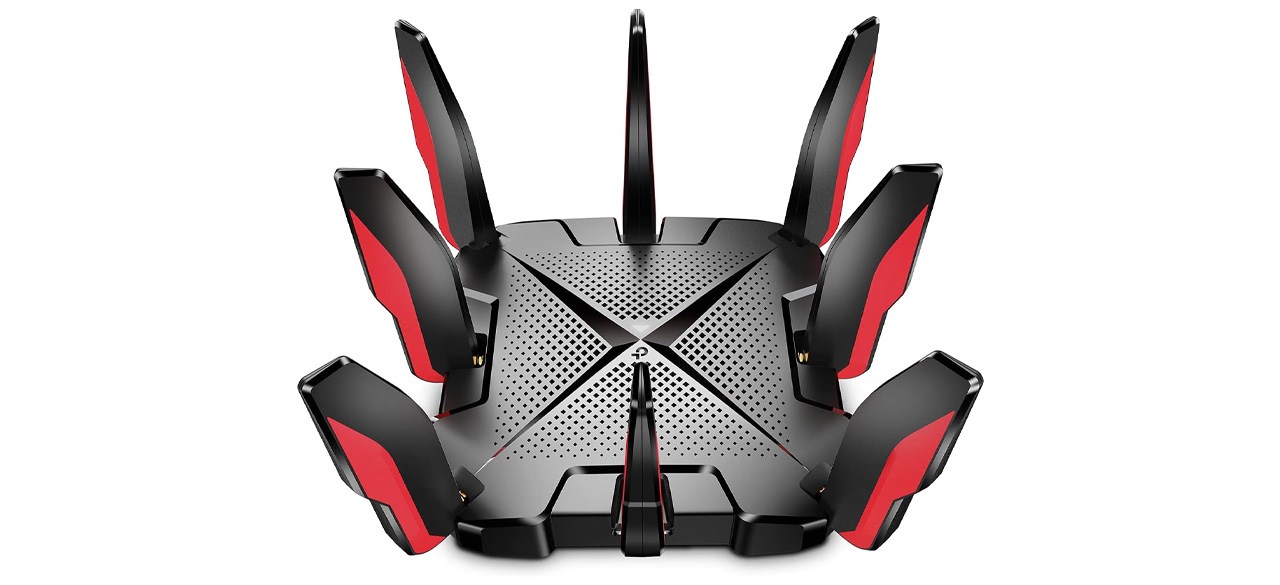
TP-Link Archer AX6000 Wi-Fi 6 Gaming Router
What you need to know: This beast can handle anything you throw at it.
What you’ll love: Its eight antennas provide best-in-class range and speeds of up to 5 Gbps. An onboard 1,8 GHz quad-core CPU helps minimize gaming input lag. It has eight 1 Gbps LAN ports and two USB 3.0 ports. It includes a free subscription to TP-Link’s HomeCare service.
What you should consider: Some of the better services tied to the HomeCare subscription require the paid version. It’s among the priciest routers.
Top gaming router for the money
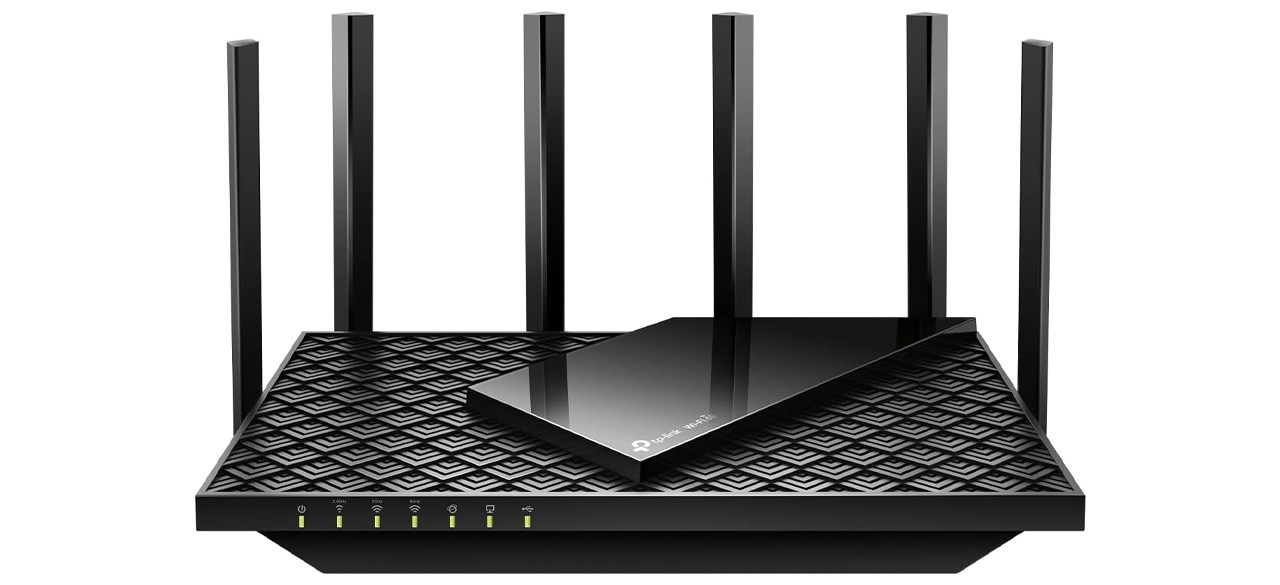
TP-Link AXE5400 Tri-Band Wi-Fi 6E Router (Archer AXE75)
What you need to know: This bargain pick supports the latest wireless technologies.
What you’ll love: It supports Wi-Fi 6E for fast wireless connections and can facilitate speeds up to 5,400 Mbps. It has a 1.7GHz Quad-Core CPU and a 512-gigabyte memory drive. It has three bands, so you can connect more devices simultaneously.
What you should consider: The 6GHz signal strength is disappointing compared to the 5GHz and 2.4GHz bands.
Worth checking out
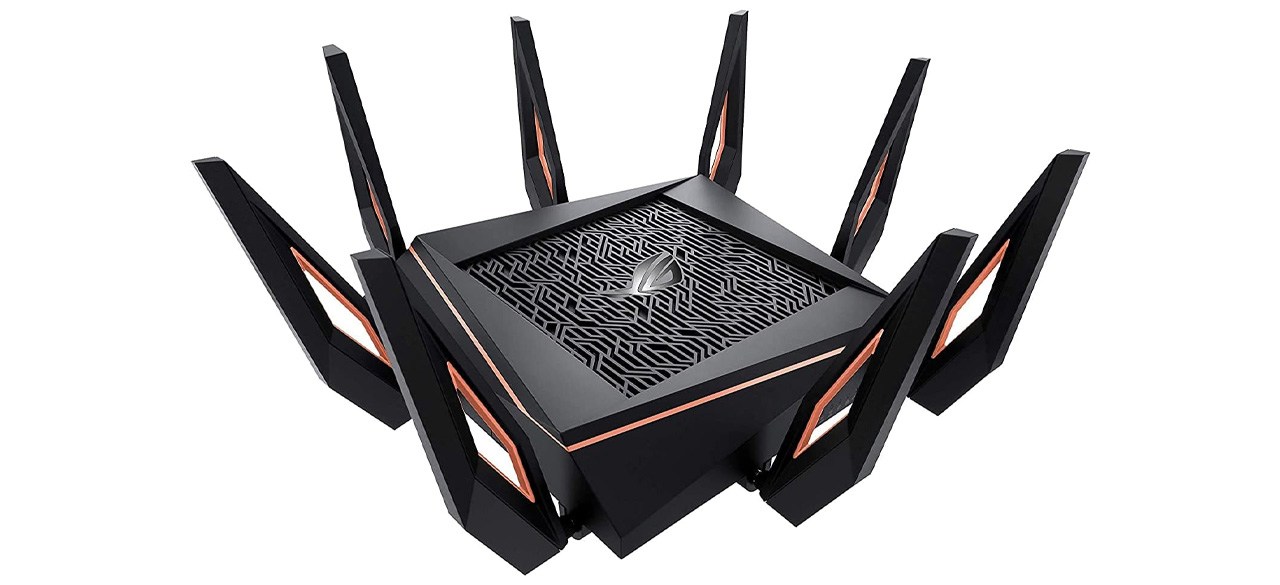
What you need to know: This is a good midrange option, with a setup handled via a companion app for simplicity.
What you’ll love: It offers dual-band speeds of just over 1 Gbps and the four antennas provide a good coverage range. It has four LAN ports, a WAN port and a USB 3.0 port.
What you should consider: Some consumers had issues with dropped WAN and Wi-Fi connections, while others reported that it stopped functioning completely within six months.
Prices listed reflect time and date of publication and are subject to change.
Check out our Daily Deals for the best products at the best prices and sign up here to receive the BestReviews weekly newsletter full of shopping inspo and sales.
BestReviews spends thousands of hours researching, analyzing and testing products to recommend the best picks for most consumers. BestReviews and its newspaper partners may earn a commission if you purchase a product through one of our links.
Distributed by Tribune Content Agency, LLC.


