


The best Raspberry Pi kits for learning, coding, and building
In the old days of computing, users often bought kits and put together their own machines. Part of the fun of owning a computer was figuring out how everything worked together.
You still can build your own computer — and do it inexpensively — when you use a Raspberry Pi kit. This microcomputer kit ships with nearly everything you need to begin using the machine immediately. Each kit offers a few different components, so you can find the best parts for your needs.
What to know before you buy a Raspberry Pi kit
A Raspberry Pi computer is fun to build because you can add or remove components to give it a personalized feel. However, there are some key pieces you must have included in a Raspberry Pi kit to use it successfully.
Case
Although you don’t have to have a protective case around the Raspberry Pi computer, the majority of people will want one. The case keeps the interior components safe from dust and other contaminants. To keep the build process fun for a child, consider using a transparent case, so they can see inside.
Motherboard
The motherboard is the key piece of the kit. It contains the chips and processor required to run the computer. In the most basic sense, the motherboard is the computer.
Power supply
The power supply takes the electrical power from a wall outlet and converts it into a safe level for the computer components to use.
Storage
Raspberry Pi kits use microSD memory cards to store data. The kit should include a memory card reader/slot, but you may have to purchase and supply your own memory card. Or if you want a large amount of storage, you can purchase an external hard drive to connect to the kit via USB.
What to look for in a quality Raspberry Pi kit
Once you’re sure the kit has the key components, you can figure out which extra features you’d like to have. Think about how you want to use the Raspberry Pi computer after you build it, and you’ll be able to determine which features you need.
Connectivity
You’ll want to connect your Raspberry Pi computer to your home network. This means it needs some sort of connectivity option. The majority of kits will have an Ethernet port on the motherboard, allowing you to hardwire the computer to your router. Some will allow wireless connections as well, via Wi-Fi or Bluetooth.
Input devices
The Raspberry Pi kit will rarely ship with input devices, like a keyboard or a mouse. If you already own a keyboard from an older computer, you may be able to use it with the kit. Otherwise, you’ll have to purchase an input device separately.
Display screen
Again, these kits rarely ship with a display screen. (This is one reason why manufacturers can sell Raspberry Pi kits so inexpensively.) You’ll either need to purchase a new screen or recycle a display screen from another computer.
Understand that you can always add more hardware and components down the road to give the computer more features.
How much you can expect to spend on a Raspberry Pi kit
You’ll find Raspberry Pi kits in the $50-$100 range for those seeking basic components. For those who want some extra power or high-end parts, expect to spend $100-$150.
Raspberry Pi kits FAQ
Q. Can I use a Raspberry Pi kit with an older display monitor?
A. The Raspberry Pi build kit will connect to a display with an HDMI port. If your old screen doesn’t use HDMI, you’ll have to buy an adapter for whatever display port it has.
Q. Are Raspberry Pi kits good for kids?
A. They can be fun for people of all ages. These kits are made to be relatively easy to assemble, so you don’t have to be a technical expert to start using them.
What are the best Raspberry Pi kits to buy?
Top Raspberry Pi kit
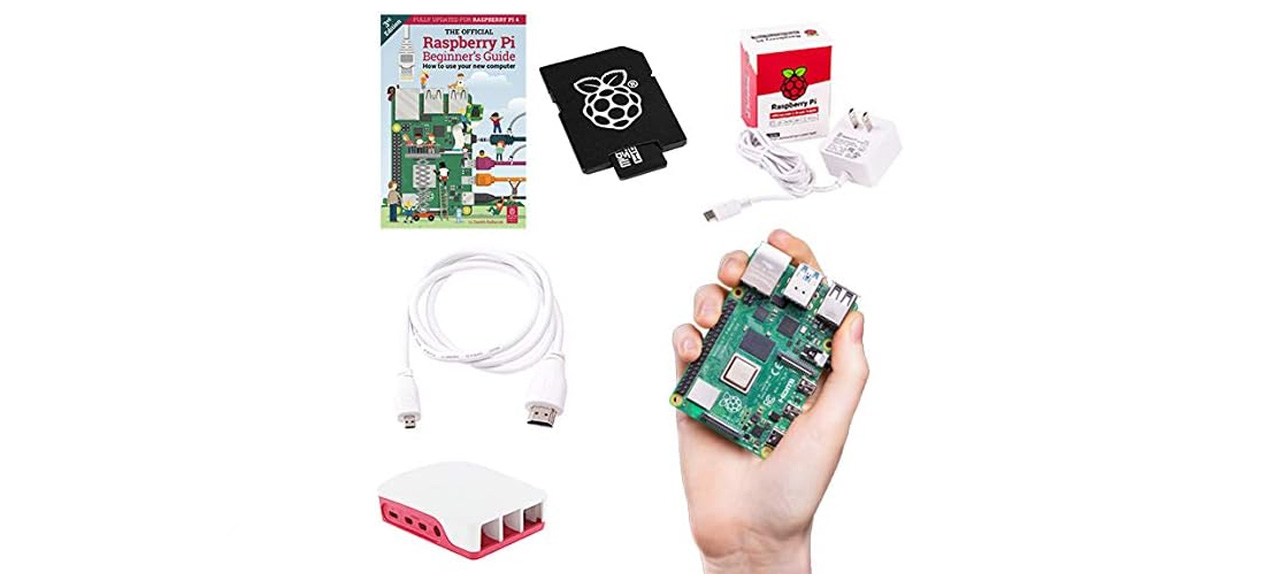
Raspberry Pi 4B 8GB RAM 16GB Storage Official Essentials Starter Kit
What you need to know: This all-inclusive kit allows you to start working on your Raspberry Pi project immediately without needing to purchase additional items.
What you’ll love: It includes all the essentials needed to get started, including a case, power supply, HDMI cable and a preloaded SD card with NOOBS. It’s good for both beginners and experienced tech makers.
What you should consider: The ARM64 image can be buggy.
Top Raspberry Pi kit for the money
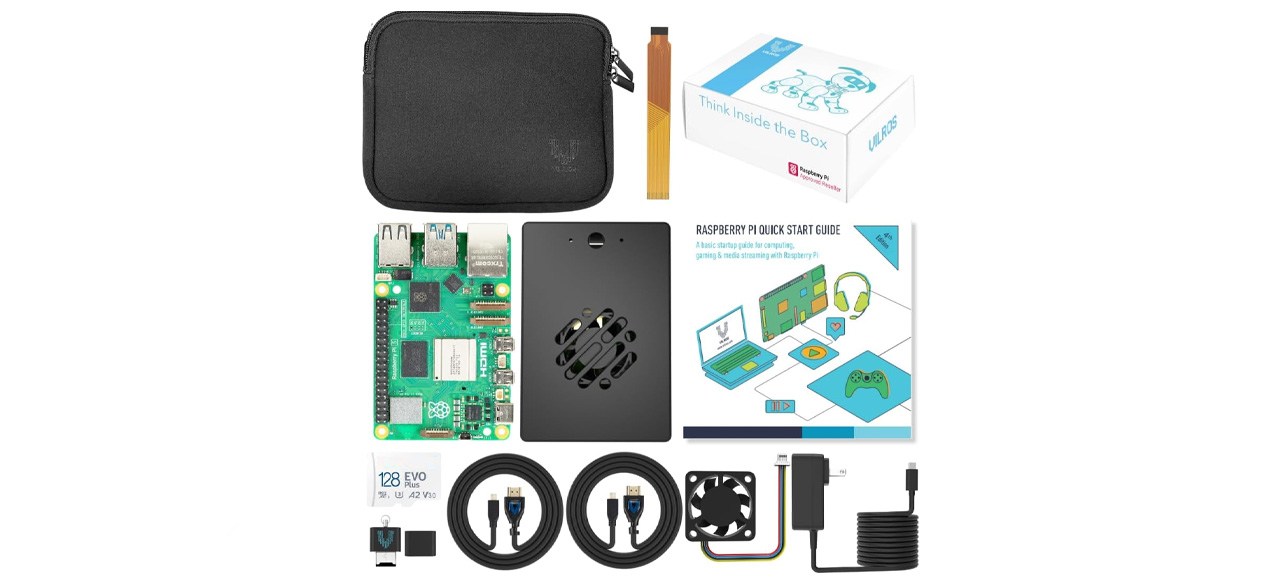
Vilros Raspberry Pi 5 Starter Kit MAX – Turbo Cooled Aluminum – (128GB Edition) – (2GB RAM)
What you need to know: This kit contains everything you need for a Raspberry Pi project at a reasonable price.
What you’ll love: The components are all very high quality, and the case is a cooling case.
What you should consider: The instructions are a bit challenging.
Worth checking out
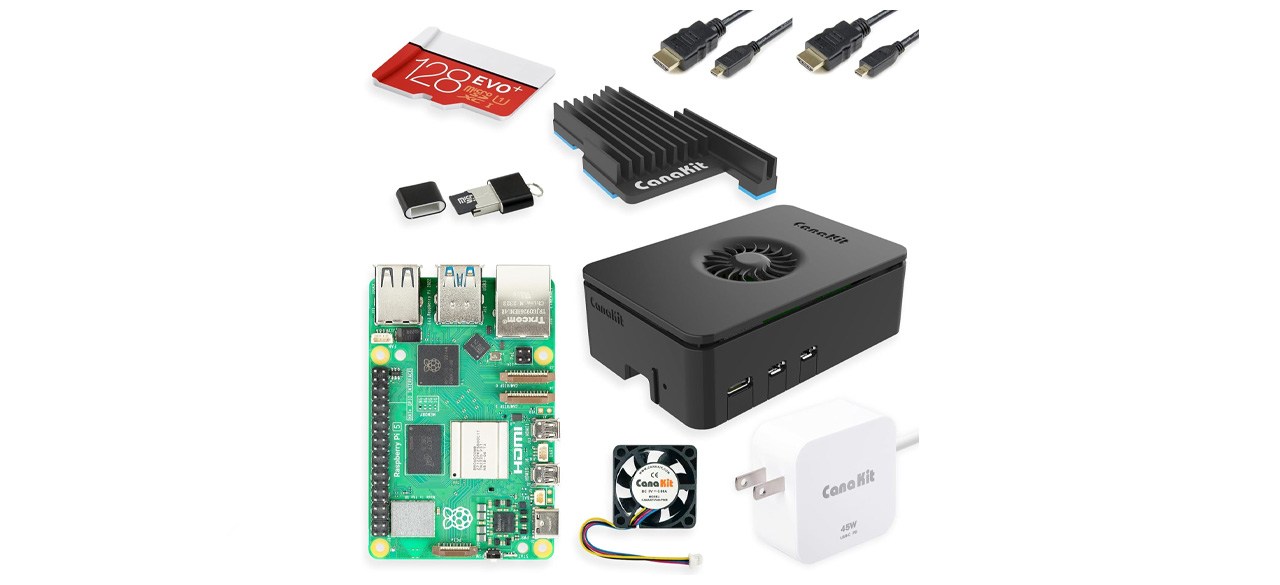
CanaKit Raspberry Pi 5 Starter Kit PRO – Turbine Black (128GB Edition) (8GB RAM)
What you need to know: This kit will deliver more power than you might expect to find in a starter kit.
What you’ll love: It includes everything you need to start, including multiple cables. It works with Wi-Fi or Bluetooth standards.
What you should consider: This kit is more expensive than some others.
Prices listed reflect time and date of publication and are subject to change.
Check out our Daily Deals for the best products at the best prices and sign up here to receive the BestReviews weekly newsletter full of shopping inspo and sales.
BestReviews spends thousands of hours researching, analyzing and testing products to recommend the best picks for most consumers. BestReviews and its newspaper partners may earn a commission if you purchase a product through one of our links.
Distributed by Tribune Content Agency, LLC.


